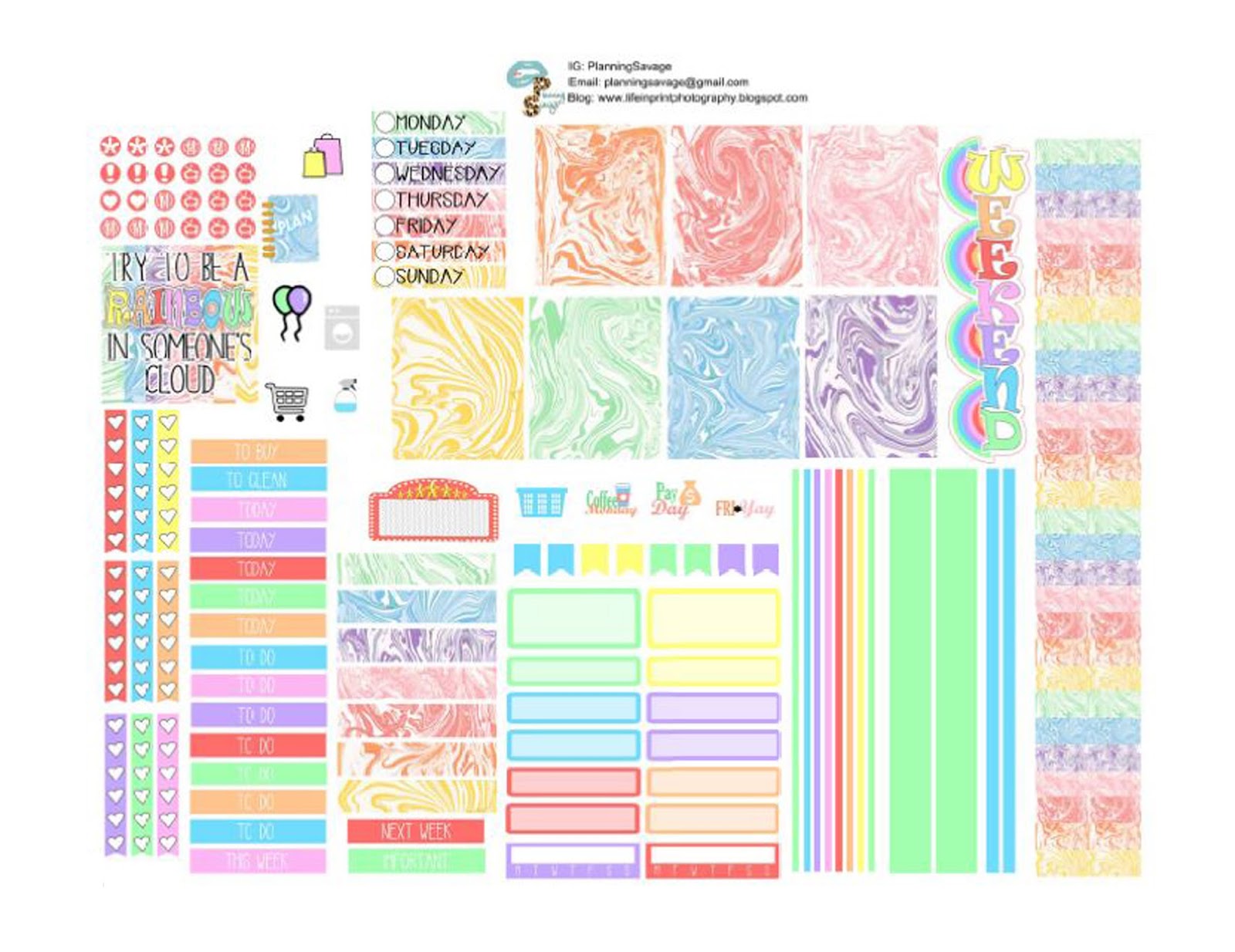
I created another fun and happy kit. Here in Texas the weather is hit or miss and very seldom does it stay cold here. I was ready to have a little rainbow in my life and not more winter kits.
You can download the free printable Rainbow Marble for the Big Happy Planner, Mini Happy Planner, Classic Happy Planner, and the Recollections Spiral (Medium) Planner. You can get the kit by clicking HERE.
Here is what the kits actually look like...
The Big Happy Planner:
The Classic Happy Planner:
The Mini Happy Planner:
And the Recollections Spiral Planner (not the large one):
Several have asked and I didn't purchase a new classic sized HP at first, I didn't think I would use one but I caved. I saw a new neutral and it had to be mine. I do have a use for another planner.....well at least I found one. This will be my work planner. See it's settled, I needed it. I'm sure several of you out there are just like me and this is probably the story of your life too. lol Planner girl problems!
I finally finished my January 2017 monthly kit. It was a long road because I was still trying to decide what planners (yeah multiple) for 2017.
I made this kit to fit the Mini HP, the Big HP and the Recollections Spiral bound planners. I am not using the Classic HP size this year so I don't have a new one to measure for the months. The old one has this weird month title that dips down in the the box and I know the new version doesn't. I'm sorry to those that do use it. Maybe things will change....
*Don't forget, tag me on IG (PlanningSavage) or in one of the many Facebook planner groups (April Lewis), I love seeing how you use the kits.
Here is what the kit looks like for the Big HP:
Here is the Mini HP version:
And for the Recollections Spiral bound I actually went with a mint green to match the monthly colors.
Like always to get the file you just need to click HERE, remember it is a zip file will all kits, you can pick and choose what you print. Once you download the zip file you have to unzip to use it.
I created three kits that I want to share with you all, they are all three different in their own way. Each zip file will have enough for a classic Happy Planner, a mini Happy Planner and a personal size (using Sew Much Crafting Inserts).
Feel free to download one or all three, and please tag me on Instagram: @PlanningSavage or tag me in one of the many Facebook groups I'm in (April Lewis). I would love to see how you use these.
Enjoy!
Kit # 1 is the Latte Lover, it's a little peppermint with cool Christmas vibe very non traditional colors, the image shown below is the Mini Happy Planner page. Feel free to download the zip file HERE.
Kit #2 is Santa Season, a very traditional but with a fun vibe all about the big jolly fellow himself. The image pictured below is everything you get with the Personal Size pages. Feel free to download the zip file HERE.
Kit #3 is Polaroid Christmas, it's got great cool tones but with cute Christmas woodland creatures ready to celebrate the season. The image pictured below is the classic Happy Planner version. Feel free to download the zip file HERE.
Wow, so this one got a lot of likes on IG and in the Facebook groups that I shared this in. The demand is high, so I could not wait to post this free file. I want you all to download it and use it while we are still in October.
Here is what it looks like in my personal size:
And here is what it looks like in my Happy Planner:
This one is one of my favorites, after the Zero Fox Given one, I saw the girl first and I knew I had to create something with it for this Halloween season. I couldn't find sugar skulls that matched this design perfectly, so what did I do? I improvised. lol
I found other free files on FreePik.com and once I downloaded the skulls I pulled the AI file apart and then changed the colors of some of the images, this way I could really make it match. I also pulled some of the items out, like the diamond/stone, the roses and other flowers and created patterns that I could also add to my cameo software.
If you want to make this yourself, see below for the links to the images, click on the text to go directly to the images that I downloaded and used from Free Pik.
Hey there! Well I have to say I got so many request for this kit and I am so sorry it took so long to post. I did film a plan with me videos but I just got behind on editing and I know so many were looking for this kit. I wanted to hurry and get it up so you all could use it.
Thanks for all the kind words please keep your suggests coming...I already have ideas churning for the ideas some of you have already suggested. Let's see.... a baking one, a How to Train a Dragon (Toothless Dragon). So please leave me ideas and I will keep up with them as best I can.
Here is what the kit looks like in my personal Color Crush and my Happy Planner.
Well with out further chit chat let me get into the meat and potatoes of this post. I use a lot of free images that I find or actual clipart that I purchase on Etsy. This kit started with me finding this really cute washi by Little B at a local craft store.
This is not my picture, just a picture I found online and it looks like you can still get this washi at this place online:
Alright, so for the actual sticker kit, I found files on FreePik.com and downloaded the AI files and then either pulled the patterns apart to create my own look. For example I took mushrooms from different files then used them to create a pattern that I could load into my cameo software as a pattern.
To download this Zero Fox Given kit, please click HERE
Here are the files and the actual link to the images, click on the title to go to the location of the image at FreePik.com.
Thanks for coming back.....this was just real simple Fall kit to help get me ready for the season. Although here in Texas, there is not much of a real fall until mid to late November. We will be lucky if it even stays a little cool.
I haven't uploaded the plan with me videos yet and it's because I am so behind, lol. I love that you all like my sets so much and I appreciate all the kind words. I had so many requests for the Zero Fox Give and the new Dia De Los Muertos (Sugar Skulls).
You can find the Zero Fox Given post HERE and you can find the Dia De Los Muertos (Sugar Skulls) post HERE. I also explain where I got the images and a little about how I made them.
Here is what the Fall Kit looks like in my Happy Planner and my Personal Color Crush, you can download this Fall HERE.
I updated my midori style/fauxdori from Chic Sparrow for the new year. I've added a custom flyleaf/dahsboard. A daily page, lots of tabs, page flags and much more. Below are a few still pictures for you but you can also head over to my Youtube channel {link below} and see a full walk through video discussing it all. Enjoy!
My small brain dump/scratch pad book I carry with me all the time...it's field size and I use it to jot down anything I need that may need to go in my planner at some point.
And here is the laminated fly leaf/dashboard I created to go in my traveler's notebook. I wanted something other than the plain clear fly leaf, so I opted for some pictures and a few of my favorite quotes, at least it's something pretty to look at as soon as I open the planner.
Here is a top look at my month tabs and a current month page flag I made using my Zink Happy+, I plan to do a video on this real soon. I think it's an awesome tool that makes things very fast.
And I still keep a modified bullet journal, below is my tipped in key and the stamp I used to make daily stickers for the bullet journal. I don't do the calendar part but I do create a monthly list and then a daily list of tasks as well.
And last but certainly not least I wanted to share how I make a lot of my reminder page flags, I use this set of colorful page flags that I got from the container store, the Iconic stamp set from Studio L2E and a stazon ink pad. I love to have these so I can put them in quickly as reminders for things coming up or things I need to remember.
And now the link to my new video on my YouTube channel, I hope you find it useful, please give it a thumbs up and subscribe to my channel I've got some great ideas for 2015 to share with you all!
Here's what this week's spread looks like. I used green, purple and a soft yellow this week and created a bird on a wire type theme.
I've seen a lot of people use washi to label the weekend, so I decided to create a bracket label to fit at the top and the bottom of my weekend instead.
I made this little bird clip for the week.
And as a first this week I made my own magnet page marker. The idea came to me because I wanted another bird somewhere on the spread but I didn't want it permanent and I didn't want to stick a paperclip on the side and it stick out. So I picked up a package of craft magnets from Hobby Lobby, they were I think a $1 or $2, and they have adhesive on one side. I made the bird using my cameo, I created the background shape (the yellow) copied a mirrored image and then welded it together at the tail feather. Then I cut the top section (the purple) I wish I would have duplicated the top portion so you could see it from both sides so I think on next week's I'll do that.
Also this week I made more mini bunting banners, I used another old school punch and just cut them to look like banners.
Last week when I shared last week's spread...
I had several requests for my hydrate and a habit stickers so I created two free files you can download. The first is a the hydrate by itself in png format.
This can be used just like a jpeg you can insert it into a word document the same way. There is just no background, it's just the image. You can get that {HERE}. [PERSONAL USE ONLY, DO NOT DISTRIBUTE OR SELL]
Now for the Hydrate/Habit sticker, I don't think everyone is going to use just my same habits so I created a single square that has the hydrate part and blank sections so you can add your own habit.
I did include the M-S circles so you won't have to worry about that part. Just insert the jpeg into word and then add a text box on top. Type what ever you want, just make sure you right click on the text box and check no lines, that way it will look like the words belong on the jpeg. You can find it {HERE}. [PERSONAL USE ONLY, DO NOT DISTRIBUTE OR SELL]
Below you will find a walk through video of my initial setup of my Erin Condren Life Planner that I trimmed down and punched to fit in my A5 Filofax Finsbury.
I created these the other day and I am really loving how they turned out. I use them on the weekly spread to cover up the weekly goals and notes. I wanted a little more structure and fun. lol
I've had several requests to share these, so I decided to do that here on my blog.....you can download this word document {HERE}






_1.jpg)


